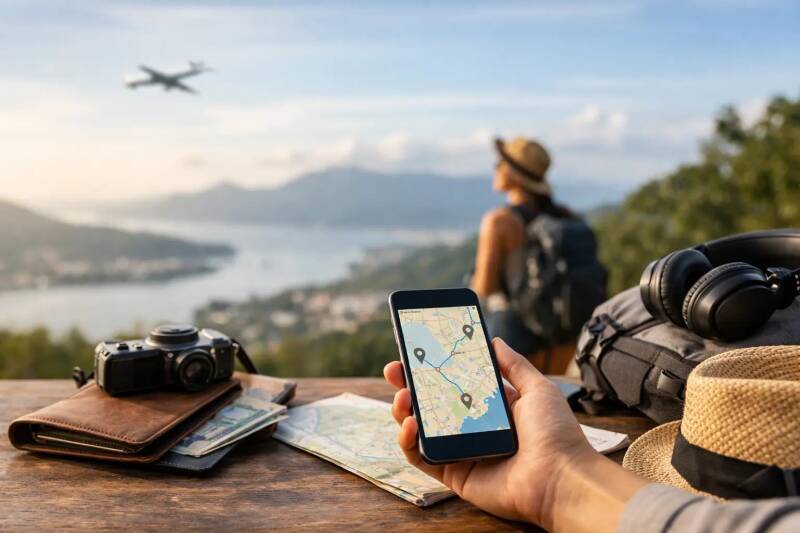
Find the best apps for budget travellers, from cheap flights and beds to local transit, payments, food, and split bills, without losing the joy of the trip A missed airport bus, a surprise foreign transaction fee, or one overpriced dinner in a tourist square can quietly swallow the money you meant to spend on another day away. The best apps for budget travellers are not about staring at a screen while somewhere beautiful happens around you. They are the small, useful tools that help you spend less on friction and more on the meals, conversations, and detours you will remember.
I do not recommend downloading every travel app before a trip. That is how you end up with a cluttered phone and no idea which confirmation email matters. Instead, build a light digital toolkit around the moments that usually cost the most: getting there, finding a bed, moving around, paying, and eating well.
The best apps for budget travellers
1. Skyscanner for flexible flight searches
Skyscanner is especially useful when your destination is still a loose idea rather than a fixed booking. Its month-view pricing can reveal that flying on a Tuesday instead of a Friday saves enough for a hostel night, while its Everywhere search is a good antidote to expensive, overplanned weekends.
Use it to compare routes, then check the airline directly before paying. Budget airlines can be genuinely cheap, but only if you understand the baggage rules and airport location. A $25 flight becomes far less impressive when the airport is two hours from the city and your carry-on costs extra.
2. Google Maps for the costs you do not expect
Google Maps earns its place on almost every trip, but its real value for budget travel is not just navigation. Save accommodation, markets, museums, bus stations, laundromats, and a few inexpensive local restaurants before you arrive. Seeing them on one map makes it easier to choose a neighborhood where life is walkable.
Download offline maps while you have Wi-Fi. This saves data and gives you a backup when you step out of a station with no signal, tired and carrying everything you packed. Check walking times, too. A cheap hotel on the edge of town can cost more in transit and energy than a slightly pricier central room.
3. Rome2Rio for comparing overland routes
When flying is not the obvious answer, Rome2Rio gives you a quick picture of how cities connect by train, bus, ferry, car, or plane. It is particularly helpful for piecing together multi-stop journeys in Europe or Southeast Asia, where a scenic train or overnight bus can make more sense than another airport day.
Treat prices and schedules as a starting point, not a final promise. Routes change, and the cheapest-looking option may have awkward connections. Still, it is an excellent planning tool for asking a more useful question: can I get there slowly, cheaply, and with a better view?
4. Hostelworld for sociable, affordable stays
A good hostel can be one of the smartest choices a solo traveler makes. Hostelworld lets you filter by price, dorm type, location, atmosphere, and recent reviews, which matters more than a glossy photo of a rooftop. Read comments about cleanliness, lockers, noise, and the walk from public transit.
The cheapest bed is not always the best value. A hostel with a usable kitchen, free walking tour, social common room, and central location may save you money on meals, taxis, and lonely evenings. For travelers who want connection without forcing it, that can be worth far more than a few dollars.
5. Booking.com for comparing rooms and guesthouses
Hostels are not right for every trip or every night. Booking.com is useful for comparing private rooms, family-run guesthouses, apartments, and small hotels, especially when you are sharing with a friend or need a quiet reset after a long stretch on the road.
Look beyond the nightly rate. Check whether taxes are included, whether breakfast is actually useful, and how far the property is from the places you want to explore. Pay attention to the newest reviews rather than the overall score alone. A once-loved guesthouse can change quickly.
6. Wise for spending in foreign currencies
Wise can make international spending easier to understand by letting you hold and convert multiple currencies, often with clearer exchange rates than traditional bank cards. It is a practical option for travelers who are moving between countries, paying for bookings online, or splitting costs with friends abroad.
Before relying on any payment app, check fees, card availability, withdrawal limits, and local acceptance for your home country. Carry a backup card and a small amount of local cash. In a tiny bakery, a rural bus, or a market stall, cash can still be the most useful travel technology you have.
7. Splitwise for keeping friendships intact
Money conversations can become strangely awkward on the road. One person pays for the apartment, another gets dinner, someone else buys train tickets, and suddenly nobody is sure who owes what. Splitwise keeps a running record so you can settle up fairly without doing mental arithmetic over breakfast.
It works best when everyone adds expenses as they happen. That takes about thirty seconds and prevents the familiar final-night scramble. More importantly, it lets you focus on the trip instead of quietly resenting the person who has somehow never bought coffee.
8. Citymapper or Transit for getting around like a local
In cities where they operate, Citymapper and Transit can be better than guessing at a bus map or assuming a rideshare is your only option. They show public transportation routes, departure times, walking directions, and sometimes fare details, helping you avoid the expensive habit of taking a car for every short journey.
Coverage varies, so check your destination before depending on either app. In some places, the official local transit app is more accurate for tickets and service updates. Download it before arrival, especially if you land late or need to get from the airport without paying taxi prices.
9. Too Good To Go for low-cost food with a purpose
Too Good To Go connects users with cafes, bakeries, and restaurants selling surplus food at a reduced price. Where it is available, it can turn an ordinary lunch into a happy surprise: a bag of pastries from a neighborhood bakery or a generous box from a local cafe.
There is a trade-off. You usually do not choose the exact items, and pickup windows can be restrictive. But for flexible travelers, it is a budget-friendly way to reduce food waste and try places you may not have found otherwise. Just do not use it as an excuse to skip the local dish you have been dreaming about.
10. Google Translate for everyday confidence
Language barriers can create expensive shortcuts. When you cannot read a menu, understand a transit notice, or ask what something costs, it is easy to retreat to tourist-facing places where everything feels familiar and tends to cost more. Google Translate helps bridge that gap with text, camera, conversation, and offline language features.
It will not make you fluent, and it will occasionally produce something unintentionally funny. But a few phrases, a genuine smile, and the confidence to ask a question can lead you toward local lunch counters, neighborhood shops, and better human exchanges. Download the language pack in advance and learn the basics anyway: hello, thank you, please, and how much?
Use apps as a safety net, not a script
The right app should give you more freedom, not make every choice for you. Price alerts can help you book a flight, but they cannot tell you whether an extra day in a place feels worthwhile. A transit planner can get you across town, but it cannot replace wandering through a market after you notice a smell worth following.
Before you leave, set up only the apps you are likely to use, save key bookings offline, and turn on any security features you need. Then put your phone away when you can. The point of traveling on a budget is not to make the trip smaller. It is to clear away unnecessary costs so there is room for the moments that make you feel more awake, more capable, and more connected to where you are.
Add comment
Comments